Google Review Policy Update 2026: What Changed in April
Google did not make a loud announcement that every local business owner would see. But in April 2026, the rules around Google reviews became much harder to ignore.
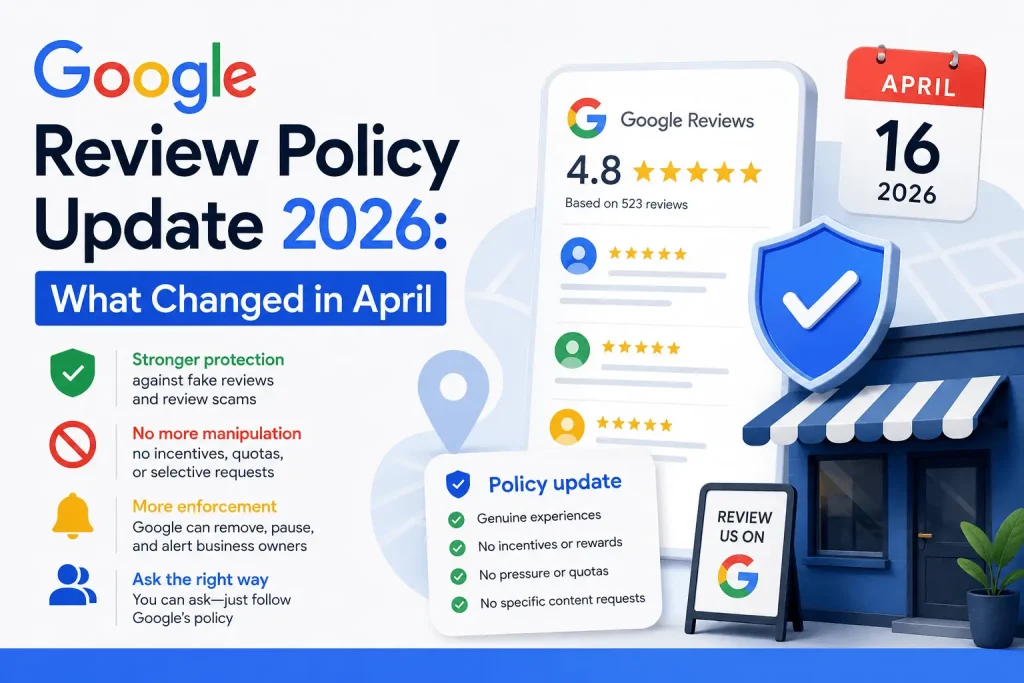
On April 16, Google published an official Maps update explaining new protections against fake reviews, review extortion, suspicious review spikes, and manipulated edits. Around the same time, Google’s Maps user-generated content policy added more explicit language around how businesses and staff are allowed to ask customers for reviews.
The short version: you can still ask real customers for honest reviews. You cannot pressure them, reward them, filter them, ask only happy customers, ask for specific wording, ask customers to mention an employee by name, or run staff review quotas that turn review collection into a numbers game.
Google review policy update 2026: quick answer
The April 2026 Google review policy update matters because Google is now clearer about review manipulation and more active about enforcement. Google’s official April 16 Maps post says its systems can remove suspicious reviews, temporarily pause new reviews, alert the Business Profile owner, and display a notification banner when fake-review activity is detected. Google also reported that in 2025 it blocked or removed more than 292 million policy-violating reviews while publishing more than 1 billion helpful reviews. Source: Google Maps blog
The policy text that businesses should pay attention to is on Google’s official Maps user-generated content policy page. Google says reviews should reflect a genuine experience, bans incentivized reviews, bans selective solicitation of only positive reviews, warns merchants not to require or pressure users to review while on the premises, and says merchants should not request specific review content. The current policy also lists two staff-related examples: merchants requesting that staff solicit a certain number of reviews, and merchants requesting that staff solicit reviews that include specific content, including content that identifies a staff member. Source: Google Maps user-generated content policy
What Google actually announced in April 2026
Google’s April 16 announcement was not only about review collection rules. It was about Maps trust and safety more broadly.
Google said it was introducing three protections for businesses on Maps: faster detection of review scams such as review extortion, Gemini-powered detection of fake or unhelpful edits, and proactive email alerts for verified Business Profile owners when important edits happen to their profiles. Google also said that if it sees a sudden spike in spam reviews, it can remove fake content, pause new reviews on the profile, alert the owner, and display a notification banner explaining why contributions are temporarily paused. Source: Google Maps blog
That is the public product update. The review-collection issue comes from the policy language businesses now need to follow. Industry coverage on April 17 reported that Google had added two explicit examples under Rating Manipulation: staff review quotas and staff requests for reviews with specific content, including staff names. Google’s current policy page contains those exact examples today. Source: PPC Land and Source: Google Maps user-generated content policy
Important note: Google’s Help Center page does not show a public change log with the exact edit timestamp. So the cleanest way to write about the update is this: Google published the Maps protection announcement on April 16, and the current Google policy now contains the staff-quota and staff-specific-content language that industry monitors reported on April 17.
Need to Know If Reviews Are Policy-Risky?
Trustario can review your Google profile and explain which reviews look removable, which ones are policy-compliant, and what to do next.
The exact Google policy lines that matter
The safest reading of the update is not “Google banned asking for reviews.” It did not. Google’s own Business Profile documentation still tells businesses they can ask customers for reviews and share a review link or QR code. Source: Google Business Profile Help
The issue is how the request is made. These are the policy areas that matter most.
1. Reviews must come from a genuine experience
Google says contributions to Maps should reflect a genuine experience at a place or business, and that reviews and ratings should reflect an actual experience with a business and be genuine and unbiased. That is the foundation for everything else. If a review was bought, scripted, copied, written by someone who was never a customer, or shaped by the business too heavily, it starts to look less like a genuine customer experience. Source: Google Maps user-generated content policy
2. Incentives are prohibited
Google’s policy says paid reviews and ratings are not allowed, whether the payment is direct or in kind. Its Business Profile review guidance also says offering free or discounted goods or services in exchange for reviews, review changes, or removal of negative reviews is strictly prohibited. Source: Google Business Profile Help
3. Review gating is prohibited
Google says merchants should not discourage or prohibit negative reviews, and should not selectively solicit positive reviews. In plain English, that means you cannot ask happy customers to review you on Google while sending unhappy customers somewhere else first. A private feedback form is fine for service recovery, but it cannot be used as a filter that decides who gets the Google review link. Source: Google Maps user-generated content policy
4. On-premises pressure is a problem
Google says that when merchants solicit reviews, they should not require or pressure users to leave ratings or write reviews while on the premises. This is where businesses need to be careful with front-desk scripts, tablets, QR codes at the counter, or staff asking customers to review them before they leave. Source: Google Maps user-generated content policy
5. Specific review content is the new danger zone
Google says merchants should not request that specific content be included in a review. The current policy examples include staff asking for reviews with specific content, including content that identifies a staff member. That does not mean a customer can never mention “Maria was helpful” on their own. It means the business should not direct customers to write that. Source: Google Maps user-generated content policy
6. Staff quotas create risk
The current policy explicitly lists merchants requesting that staff solicit a certain number of reviews. That matters for businesses that have review contests, staff leaderboards, per-review targets, or monthly review goals assigned to individual employees. Even if every customer is real, the collection system can start to look like rating manipulation. Source: Google Maps user-generated content policy
What is still allowed?
The safest businesses will not stop asking for reviews. They will stop steering reviews.
Google’s own Business Profile documentation says businesses can create and share a link or QR code to request reviews. Google suggests placing the link or QR code on receipts, thank-you emails, chat interactions, and printed materials in store. It also says businesses can send review requests through email, WhatsApp, or Facebook post. Source: Google Business Profile Help
The key is neutrality. The request should go to real customers, use the same wording for everyone, avoid incentives, avoid pressure, avoid rating prompts, and avoid telling the customer what to write.
A compliant review request template
The best post-update review request is boring on purpose.
Hi [Name], thank you for choosing [Business Name]. If you have a moment, we’d appreciate your honest feedback about your experience. You can leave a review here: [Google review link]. Thank you again.
That template works because it does not ask for a star rating, does not mention a staff member, does not suggest wording, does not offer anything in return, and does not filter the customer first.
Send it after the experience, not while the customer is still standing at the counter. A few hours later, the next morning, or after the service is completed is usually cleaner than asking on the spot.
What to do if reviews disappeared
If your review count dropped after the April changes, do not start by sending another review blast. Start by documenting what changed.
- Check the review count in Google Search, Google Maps, and your Business Profile dashboard.
- Compare the count with screenshots, CRM logs, email notifications, or review monitoring history.
- Look for patterns in the missing reviews: same day, same wording, same staff name, same location, same campaign, same rating.
- Audit your request templates and staff scripts.
- Pause anything that asks for specific content, offers an incentive, filters customers, or creates review spikes.
Google’s policy documentation says content may be removed when violations are identified, and that removed or rejected content can sometimes be marked as “Not posted,” “Private,” “Not Accepted,” or similar. It also says multiple or severe violations may lead to feature access restrictions. Source: Google Maps policy enforcement help
For businesses dealing with fake, unfair, or policy-violating reviews, Trustario’s Google review removal service can help identify whether a review appears to violate platform rules and prepare an evidence-based removal request through compliant channels. If you are not sure whether a review qualifies, start with a free Google review audit.
What this means for agencies and multi-location businesses
The businesses most exposed to this update are not always the ones doing something obviously fake. They are often the ones with the most systemized review programs.
If you manage review collection across multiple locations, every script and template matters. A sentence like “mention your technician by name” might seem harmless at one location. Across 50 locations, it creates a visible pattern. A staff leaderboard might feel like internal motivation. To Google, it can look like a structured push to solicit review volume.
Audit these items first:
- Staff scripts
- SMS and email templates
- QR code placement
- Review widgets and landing pages
- Automated follow-up timing
- Employee bonus or leaderboard systems
- Internal instructions about rating, wording, names, services, or keywords
A compliant system should be boring, consistent, and customer-led. Same request. Same tone. Same link. No steering.
The safest post-April review collection playbook
If you want to understand how a policy-based removal process works when harmful reviews are already live, Trustario explains the basic workflow on its How it Works page.
Not Sure If Your Review Process Is Safe?
We’ll check your Google profile and review collection setup for obvious policy risks, then explain what should be fixed first.
FAQ
Q: Did Google ban asking customers for reviews?
A: No. Google still allows businesses to ask customers for reviews. Google’s own documentation says businesses can create and share a review link or QR code. The request must be neutral, based on a real customer experience, and not tied to incentives, pressure, selective solicitation, or specific wording. Source: Google Business Profile Help
Q: Can customers mention employee names in Google reviews?
A: A customer can describe their real experience in their own words. The risk is when the business directs staff to ask customers for reviews that include specific content, including content that identifies a staff member. Let the customer decide what to write. Source: Google Maps user-generated content policy
Q: Are Google review QR codes still allowed?
A: Yes. Google’s Business Profile Help page says businesses can create and share a review link or QR code, including on receipts, in thank-you emails, at the end of a chat interaction, and printed in the store. The QR code should not be used to pressure customers into reviewing on the spot or to steer what they write. Source: Google Business Profile Help
Q: Can a business offer a discount for a Google review?
A: No. Google says offering incentives such as free or discounted goods or services in exchange for reviews, review changes, or removal of negative reviews is fake engagement and is strictly prohibited. Source: Google Business Profile Help
Q: What can happen if Google detects suspicious review activity?
A: Google says businesses that violate the Fake Engagement policy may face restrictions. Examples include not being able to receive new reviews or ratings for a period of time, having existing reviews unpublished for a period of time, or displaying a warning on the Business Profile to let consumers know that fake reviews were removed. Source: Google Business Profile Help
Final takeaway
The April 2026 Google review policy update is not a reason to stop asking for reviews. It is a reason to stop manipulating the shape of those reviews.
Ask every real customer with the same neutral wording. Do it after the experience. Do not offer rewards. Do not filter unhappy customers away from Google. Do not ask for staff names, service keywords, or five-star ratings. And if suspicious or unfair reviews are already hurting the business, handle them through a documented, policy-based process rather than shortcuts.
That is the practical message of the update: more reviews are still good, but only when the collection process is clean enough that Google can trust them.
Free Google Review Audit
Find out which reviews can be removed — free. No access required, no obligation.
Reputation Insights
Weekly tips on Google reviews, removals, and rankings.